PRESET 01
Cinematic
Slow, deliberate moves with cubic easing. Built for interviews, narrative beats, and product reveals.
- Zoom In
- 2.5s
- Zoom Out
- 2.5s
- Ease
- Power 3 (Cubic)
ZoomAssist Pro is a free Premiere Pro plugin that auto-creates the keyframes for you. Select the area, set the duration, apply the zoom — done.
Editors save an average of 2 minutes on every zoom-in and zoom-out.
Adobe and Premiere Pro are trademarks of Adobe Inc. ZoomAssist Pro is not affiliated with Adobe.
 ZoomAssist Pro
Captured at 61.80s — click inside the preview to place the zoom region.
Target: ScreenRecorderProject187.mp4 · V1
Built by editors for editors shipping daily
Built for editors who want polish without the punishment. ZoomAssist Pro lives in your timeline — not in a separate tool.
Capture a frame at the playhead, then click the preview to choose where the zoom should punch in.
ZoomAssist Pro writes Scale, Position, and Anchor keyframes directly onto the selected clip, so the result stays editable.
Use Cinematic, Smooth, Punch, or Instant presets — each with its own timing and Bezier-style motion.
Enable motion blur, use In/Out points for longer holds, or place markers to see where each zoom was applied.
Each preset is a starting point, not a cage. Apply, then tweak scale, ease, and timing to taste.
Slow, deliberate moves with cubic easing. Built for interviews, narrative beats, and product reveals.
Balanced pace with quartic easing. The everyday default that flatters almost any cut you throw at it.
Quick, percussive moves with a sharp curve. Lands on the beat for shorts, reels, and reaction edits.
Aggressive snap in, faster snap out. Save it for the hook — it works because you use it sparingly.
One minute. No fluff. Watch ZoomAssist Pro turn a static interview into a punchy, scroll-stopping cut.

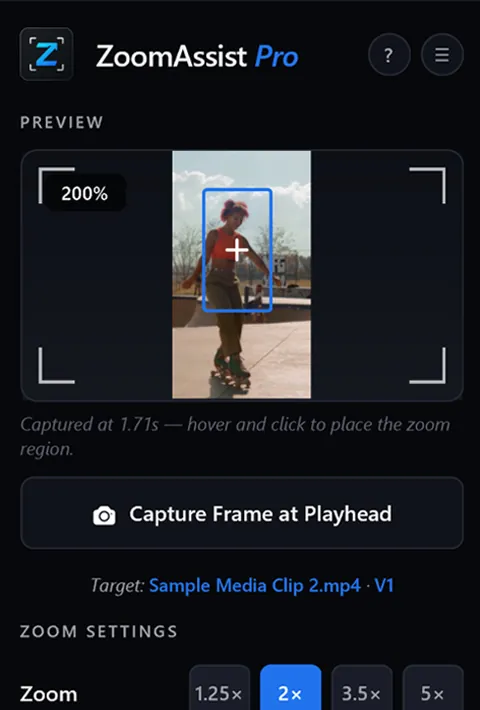
Pick the clip on your timeline and drag the focus frame over the part of the video you want to zoom into.
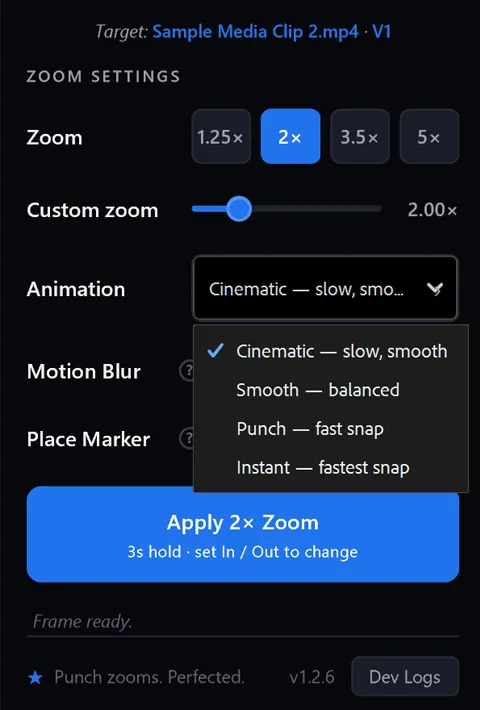
Pick the animation preset that fits the moment — Cinematic, Smooth, Punch, or Instant.
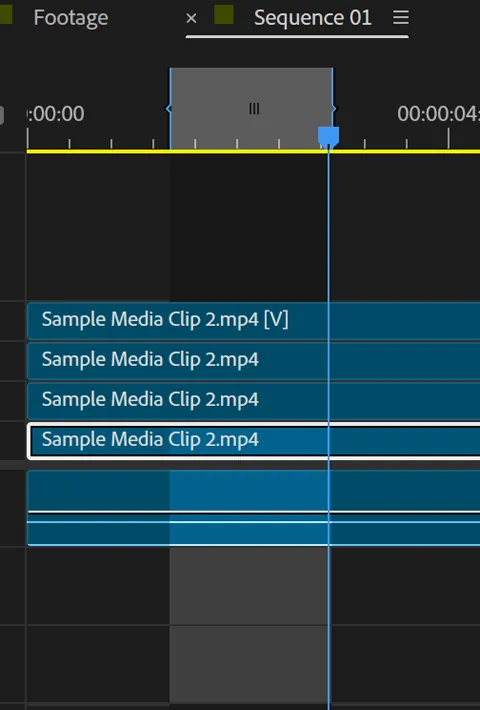
Want the zoom to linger? Set In and Out points on the timeline to control exactly how long the camera stays in.
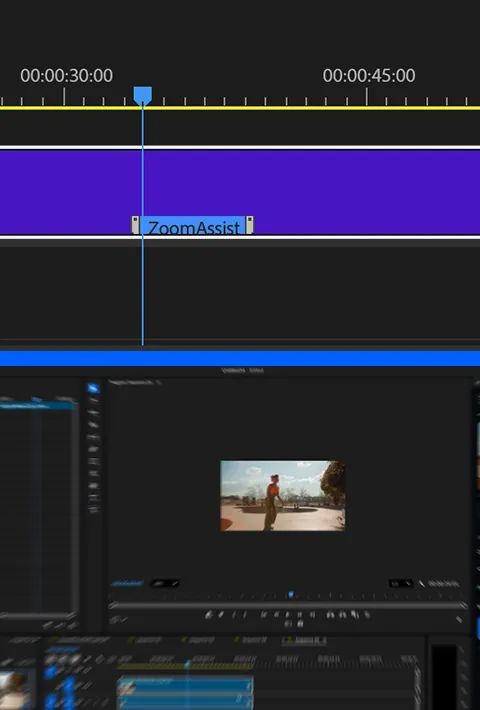
Toggle optional motion blur or drop a marker on the timeline, then hit apply. Tweak any setting later, anytime.
"ZoomAssist Pro replaced 20 minutes of nested-comp wrangling with about twelve seconds. It's the first plugin in years I've actually told other editors about."
I spent over 80 hours testing edge cases, hunting weird bugs, and polishing every interaction so you don't have to think about it. The plugin is essentially done — no paywall, no upsell. If ZoomAssist Pro saved you time on your last cut, a small tip (even just one dollar) is a real vote of confidence in me and the work behind it.
Yes. 100% free, forever. No trial, no watermark, no email gate. Built by an editor who got tired of paying for tools that should ship in the box.
Premiere Pro 2022 and newer, on both macOS (Intel + Apple Silicon) and Windows. Works in all languages of Premiere.
Yes. Zoom data is non-destructive and travels with the clip metadata. Swap proxies for full-res anytime — your zooms come with.
That's the whole point. Every zoom stays parametric — open the panel, drag, done. Your past self isn't your enemy anymore.
Maybe one day, with optional power features. The core plugin — the four presets, the editor, the framer — stays free forever.
Free for Premiere Pro. Install in under a minute. Ship better cuts today.

 Get it on Adobe Creative Cloud